



What is a wNXM Wallet?
A wNXM wallet is a digital interface that allows you to securely store, send, and interact with Wrapped NXM (wNXM) tokens. Wrapped NXM (wNXM) is an ERC-20 token that represents the NXM token from the Nexus Mutual protocol, allowing it to be traded on decentralized exchanges. It enables users to participate in the decentralized insurance ecosystem, providing coverage against smart contract risks and other DeFi-related vulnerabilities. Because wNXM functions on the EVM (Ethereum Virtual Machine) blockchain, your wallet must be capable of handling ERC-20 tokens and interacting with smart contracts seamlessly.
Using a dedicated wallet is essential because it gives you full control over your private keys, unlike leaving your assets on a centralized exchange. When you hold wNXM in a non-custodial wallet, you are truly interacting with the Nexus Mutual ecosystem, ensuring that your participation in decentralized insurance remains trustless and sovereign.
Download Bitget wNXM Wallet
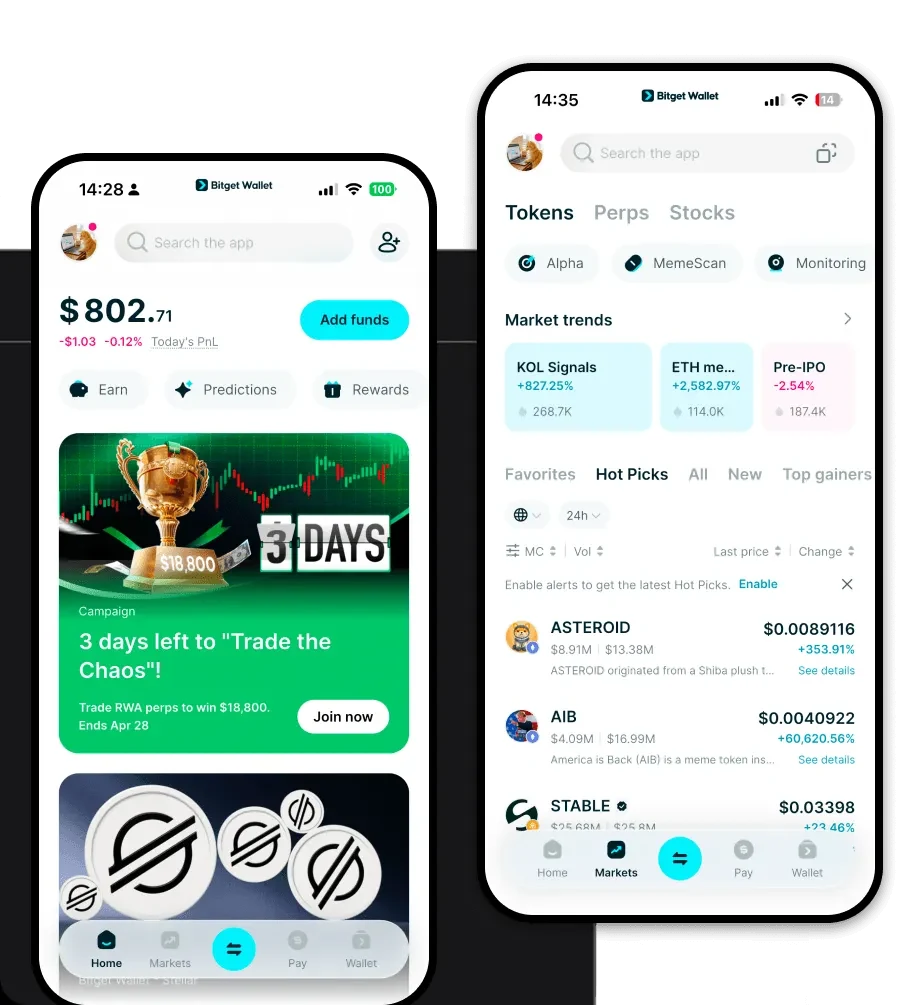
Choosing the right tool to manage your digital assets is the first step toward successful DeFi participation. Bitget Wallet stands out as a comprehensive solution for managing wNXM and thousands of other assets. It offers full support for the EVM ecosystem, ensuring that your ERC-20 tokens are always accessible and manageable.
Bitget Wallet provides a seamless experience across iOS, Android, and browser extensions, ensuring you can manage your portfolio whether you are on the go or at your desk. By choosing to download Bitget Wallet, you gain access to a platform that prioritizes user sovereignty through private key self-custody. This means only you hold the keys to your funds, providing an essential layer of security for your wNXM holdings. Furthermore, its multi-chain capabilities mean that if you decide to diversify into other ecosystems beyond EVM, you won't need to switch applications, keeping your entire crypto experience unified under one roof.
Why Choose Bitget wNXM Wallet?
When dealing with DeFi tokens like wNXM, the wallet you choose must be more than just a storage container; it must be a gateway to the broader financial ecosystem. Bitget Wallet is optimized for the EVM environment, making it the ideal choice for wNXM users.
- Seamless EVM Integration: Bitget Wallet is built from the ground up for EVM-compatible chains, ensuring that interacting with complex DeFi protocols, insurance pools, and smart contracts is smooth and error-free.
- Advanced Smart Contract Interaction: Since wNXM is deeply tied to DeFi insurance, the wallet provides a robust DApp browser that allows you to connect directly to Nexus Mutual and other protocols without exposing your private keys.
- Aggregated Liquidity: The wallet aggregates hundreds of DEXs and cross-chain bridges, allowing you to swap wNXM for other assets at the best available rates directly within the app interface.
- Enhanced Security Measures: With a $300 million user protection fund and rigorous security audits, Bitget Wallet ensures that your assets are shielded against common vulnerabilities while you engage with the DeFi ecosystem.
- User-Centric Asset Management: The interface is designed to make complex tasks like viewing your token balances and transaction history intuitive, even for those new to decentralized insurance.
How to Create a wNXM Wallet
Setting up your wallet is a straightforward process. Follow these steps to get started with your wNXM wallet:
Step 1: Download and Install: Visit the official website or your app store to download Bitget Wallet. Ensure you are using the verified version to avoid phishing attempts.
Step 2: Create a New Wallet: Open the app and select 'Create a Wallet.' The system will generate a unique address for you on the EVM network.
Step 3: Secure Your Recovery Phrase: You will be presented with a 12 or 24-word recovery phrase. Write this down on paper and store it in a secure location. Never take a screenshot or store it digitally, as this is your only way to recover your funds.
Step 4: Verify Your Wallet: Follow the on-screen prompts to confirm your recovery phrase. This step ensures that you have correctly backed up your wallet.
Step 5: Add wNXM to Your Assets: Once your wallet is set up, use the 'Add Token' feature. Search for 'wNXM' or paste the official contract address to ensure the token appears in your asset list, ready for receiving or trading.
What Can You Do With a wNXM Wallet?
Holding wNXM in a non-custodial wallet unlocks the full potential of the Nexus Mutual protocol. Here is how you can actively use your tokens:
- Staking for Underwriting Risk: You can use your wNXM to stake in the protocol, acting as an underwriter to earn rewards while helping to secure the ecosystem against potential smart contract failures.
- Purchasing DeFi Insurance Coverage: By holding wNXM, you are part of an ecosystem that provides decentralized insurance coverage, allowing you to protect your other DeFi assets against vulnerabilities.
- Trading on Decentralized Exchanges: Because wNXM is an ERC-20 token, you can easily connect your wallet to platforms like Uniswap or SushiSwap to trade wNXM against ETH, stablecoins, or other DeFi tokens.
- Governance Voting: Participating in the community-owned protocol is a key benefit; your wNXM holdings allow you to vote on governance proposals that shape the future of the Nexus Mutual platform.
- Providing Liquidity in Insurance Pools: You can supply your wNXM to liquidity pools within the Nexus Mutual ecosystem, playing a vital role in maintaining the depth and efficiency of the insurance marketplace.
How wNXM Wallets Are Different from Other Crypto Wallets
Not all crypto wallets are created equal, especially when it comes to specific token standards like those found in the DeFi sector. Most wallets are designed for simple storage, but a wNXM-ready wallet must excel in the EVM environment.
Unlike wallets designed for UTXO-based chains (like Bitcoin), which focus on simple transaction outputs and privacy, a wNXM wallet must handle the complex 'Account Model' used by EVM blockchains. This model tracks state changes, allowing for the smart contract interactions that are fundamental to wNXM and DeFi. Furthermore, while some wallets prioritize high throughput at the cost of decentralization, an ideal wNXM wallet balances performance with the gas-fee optimization necessary for Ethereum-based transactions. You will notice that your wNXM wallet provides much more granular control over gas settings, allowing you to adjust transaction speeds based on current network congestion—a feature that is critical when participating in time-sensitive DeFi insurance staking or liquidity provision.
