





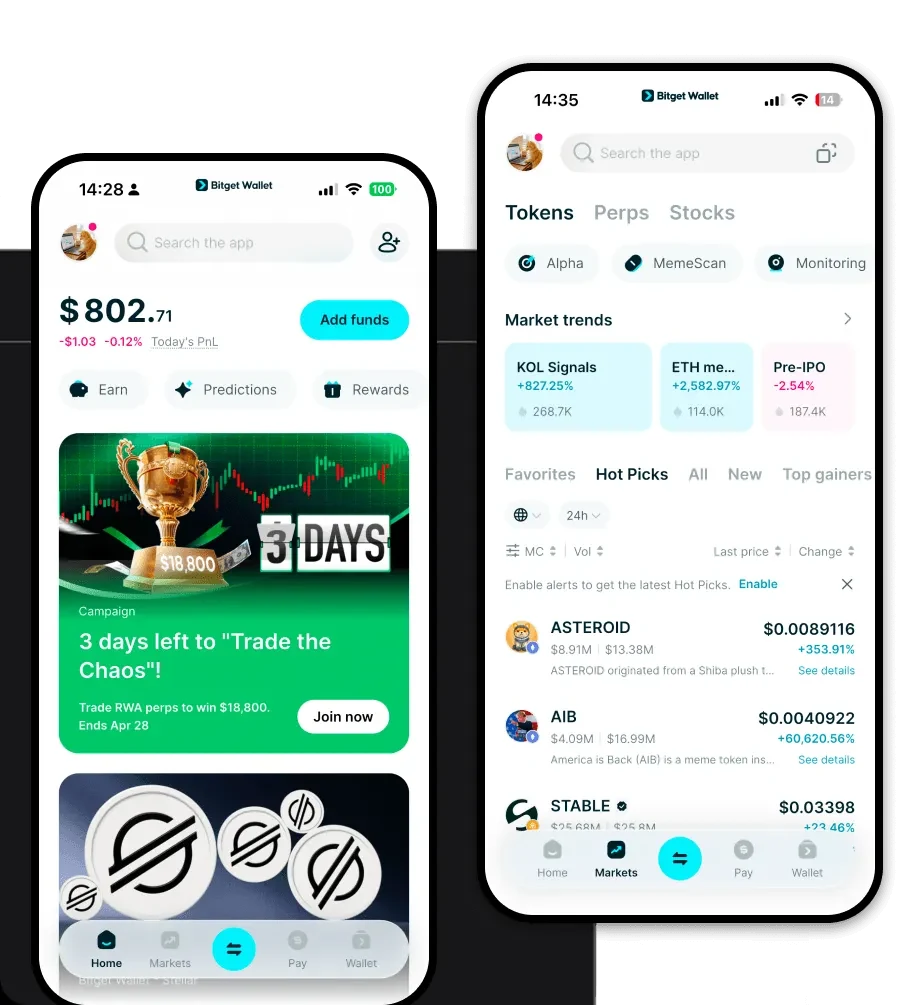
1. What is a MEMEX Wallet?
A MEMEX wallet is a digital interface that allows you to interact with the MEMEX project, an innovative protocol focused on decentralized content indexing and search. By serving as a bridge between your assets and the blockchain, a wallet enables you to hold, manage, and utilize MEMEX tokens within the broader Web3 ecosystem.
Memex is a project often associated with decentralized content indexing and search protocols, aiming to enhance the discoverability of Web3 data. It is compatible with various crypto wallets like Bitget Wallet, which allows users to securely store, manage, and explore Web3 assets and protocols. Since MEMEX operates on the EVM (Ethereum Virtual Machine) chain, your wallet needs to be fully compatible with EVM standards to handle transactions, smart contract interactions, and gas fee payments seamlessly.
2. Download Bitget MEMEX Wallet
To start your journey with MEMEX, you need a robust and reliable gateway. Bitget Wallet stands out as a premier choice for users seeking a self-custodial solution that prioritizes security without sacrificing convenience. Whether you are a beginner or a power user, the platform offers a unified experience across devices.
You can easily download Bitget Wallet to access your assets on the go. The wallet is available as a mobile app for both iOS and Android, as well as a powerful browser extension for desktop users. Because it supports over 130+ blockchains, it provides the perfect infrastructure for your MEMEX tokens. With Bitget Wallet, you retain full control over your private keys, ensuring that you are the sole custodian of your digital assets.
3. Why Choose Bitget MEMEX Wallet?
Choosing the right wallet for an infrastructure-heavy token like MEMEX is critical. Bitget Wallet is optimized for the EVM ecosystem, offering specific advantages for users dealing with decentralized indexing protocols:
- EVM Ecosystem Integration: As a native EVM-compatible wallet, Bitget Wallet ensures smooth interaction with Memex smart contracts, minimizing compatibility issues and transaction errors.
- Advanced Gas Management: When interacting with indexing protocols, transaction costs can fluctuate. Bitget Wallet provides intelligent gas fee estimation and acceleration, ensuring your transactions are processed efficiently on the EVM chain.
- Multi-Layer Security: With a $300 million user protection fund, Bitget Wallet provides an extra layer of defense against malicious DApps and phishing attempts, which is vital when exploring new Web3 search protocols.
- Seamless Cross-Platform Experience: Whether you are syncing your portfolio across mobile or desktop extensions, the wallet maintains a consistent, synchronized state for your MEMEX assets.
- Aggregated DEX Access: You can swap MEMEX or other EVM tokens directly within the app, utilizing aggregated liquidity from hundreds of decentralized exchanges for the best possible rates.
4. How to Create a MEMEX Wallet
Setting up your wallet is a straightforward process designed to get you ready for Web3 interaction in minutes:
Step 1: Download the Bitget Wallet app from the official website or your device's app store and select 'Create a New Wallet'.
Step 2: Securely back up your mnemonic phrase (recovery phrase). Write it down on paper and store it offline—never share this with anyone.
Step 3: Once inside, set up your PIN or biometric authentication to ensure quick yet secure access to your account.
Step 4: Add the MEMEX token to your wallet dashboard. Since it is an EVM-based asset, you may need to add the contract address manually if it is not automatically detected.
Step 5: Copy your wallet address from the main screen. This is your public EVM address, which you will use to receive MEMEX tokens from exchanges or other users.
5. What Can You Do With a MEMEX Wallet?
Holding MEMEX in a compatible wallet opens up a variety of functional possibilities within the Web3 infrastructure landscape:
- Data Querying: Use your wallet to authenticate and interact with MEMEX-based indexing services, allowing you to query decentralized data sets with ease.
- Protocol Integration: Connect your wallet to various decentralized applications that leverage MEMEX to ensure your Web3 browsing and data discovery are enhanced by the project's indexing capabilities.
- Asset Management: Securely hold, send, and receive MEMEX tokens, while keeping track of your portfolio performance directly within the Bitget Wallet interface.
- Web3 Search Exploration: Utilize your wallet to sign transactions that enable advanced searching and discovery across decentralized platforms, making your navigation of Web3 data more intuitive and efficient.
6. How MEMEX Wallets Are Different from Other Crypto Wallets
When dealing with an EVM-based project like MEMEX, the wallet you choose significantly impacts your experience compared to wallets designed for different ecosystems. Unlike UTXO-based wallets (like those for Bitcoin), which focus on unspent transaction outputs, a MEMEX-compatible wallet like Bitget Wallet utilizes an account-based model. This is essential for the EVM, as it tracks your balance, nonce, and smart contract state directly.
Furthermore, because MEMEX relies on the EVM, your wallet must manage gas fees, which are the fuel for every operation on the network. Unlike some high-performance chains that might use a resource-based model (like CPU/RAM/NET in EOS), EVM wallets are built to optimize for transaction throughput and smart contract gas efficiency. Bitget Wallet excels here by aggregating cross-chain bridges and DEXs, ensuring that your interaction with MEMEX is never hindered by the complexities of the underlying infrastructure.
