



What is a Kiba Wallet?
A Kiba wallet is a digital interface designed to securely store, send, and interact with Kiba tokens, which operate on the Solana blockchain. KIBA is a derivative meme token incubated on Solana with a BLACKCAT pixel IP theme. The project was initiated via Pump.fun by an anonymous creator, featuring a 0% tax model and burned liquidity. It focuses on a community-driven economy centered around pixel art, meme storytelling (the 'meowgic' theme), and is designed for short-term trading and digital collectibles enthusiasts. Because Kiba exists natively on the Solana network, a compatible wallet must support Solana-based SPL tokens to ensure you can manage your assets without compatibility issues.
Download Bitget Kiba Wallet
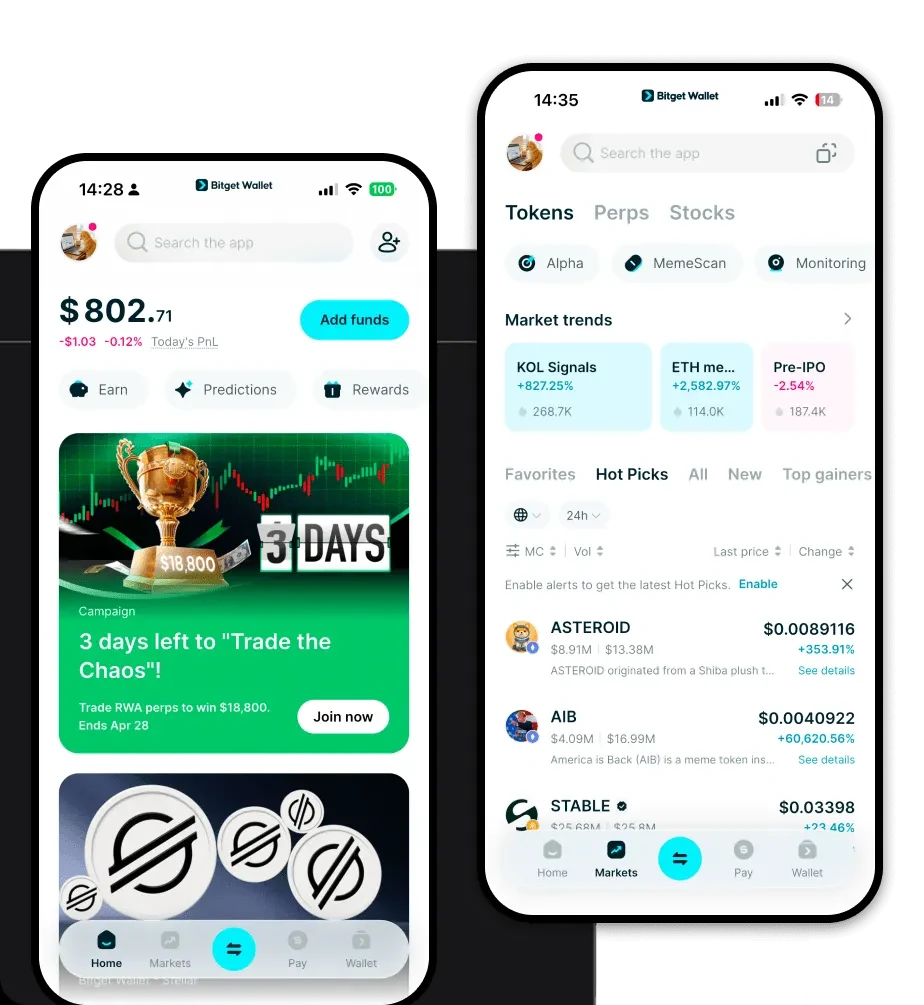
Managing meme tokens like Kiba requires a wallet that keeps up with the fast-paced nature of the crypto market. Bitget Wallet provides a robust, decentralized solution that puts you in full control of your private keys. Whether you are on the go or at your desk, you can download Bitget Wallet to access your assets seamlessly across iOS, Android, and browser extension platforms. With multi-chain support that aggregates hundreds of DEXs, Bitget Wallet ensures that your Kiba tokens are always accessible, secure, and ready for whatever the market brings next.
Why Choose Bitget Kiba Wallet?
When dealing with high-frequency meme tokens on Solana, your choice of wallet significantly impacts your experience. Bitget Wallet is optimized for the unique requirements of the Solana ecosystem:
- High-Throughput Performance: Designed to handle the rapid transaction speeds of the Solana blockchain, ensuring your Kiba trades are processed instantly during market volatility.
- Low Fee Optimization: Minimize your overhead costs with a wallet interface that computes and displays Solana transaction fees transparently, keeping more capital in your pocket.
- Advanced Security Infrastructure: Benefit from a 300 million USD user protection fund, providing an extra layer of defense for your meme token portfolio.
- Intuitive Meme Management: A user-friendly dashboard specifically designed to help you track pixel art assets and community-driven tokens with ease.
- Burned Liquidity & Tax Transparency: The interface clearly displays token details, allowing you to verify the 0% tax model and burned liquidity status of Kiba directly within the app.
How to Create a Kiba Wallet
- Download the Bitget Wallet app from the official website or your device's app store and select 'Create a New Wallet.'
- Back up your mnemonic phrase (seed phrase) in a secure, offline location—never share this with anyone.
- Set a strong password for your app to protect against unauthorized access on your local device.
- Once your wallet is active, navigate to the asset management section and select the Solana network to view your native SOL balance.
- Add Kiba by searching for its contract address or using the 'Add Token' feature to ensure it appears on your home screen for quick access.
What Can You Do With a Kiba Wallet?
A Kiba wallet is more than just a storage tool; it is your gateway to the Kiba ecosystem. Using Bitget Wallet, you can engage in the following activities:
- Trading: Execute buy and sell orders for Kiba directly through the wallet's integrated DEX aggregator to find the best liquidity pools on Solana.
- Community Participation: Connect your wallet to community-led governance platforms or official Kiba project sites to verify your holdings and participate in voting.
- Meme Culture Engagement: Immerse yourself in the 'meowgic' theme by interacting with community-driven pixel art drops and social events supported by the Solana ecosystem.
- Digital Collectible Speculation: Manage and trade your Kiba-related digital collectibles, taking advantage of the wallet’s NFT-friendly interface to track your collection's value.
How Kiba Wallets Are Different from Other Crypto Wallets
Not all wallets are created equal, especially when dealing with specific blockchain architectures. Unlike wallets built primarily for the Ethereum (EVM) ecosystem, which focus on gas-heavy smart contract interactions, a Kiba wallet on Solana utilizes a high-performance, low-latency infrastructure. While EVM wallets often deal with complex gas fee fluctuations, the Kiba wallet experience on Solana is characterized by sub-second finality and extremely low transaction costs. Furthermore, since Kiba relies on the Solana account model rather than the UTXO model found in Bitcoin, your wallet provides a streamlined, user-centric way to manage token balances and interact with decentralized applications without the overhead of managing unspent transaction outputs.
