




What is an IMG Wallet?
An IMG wallet is a digital interface that allows you to store, send, and receive IMG tokens securely. Because IMG operates on the EVM (Ethereum Virtual Machine) blockchain, it requires a wallet capable of interacting with smart contracts and decentralized protocols native to the EVM ecosystem. IMG (Image) is a token often associated with digital asset ecosystems, specifically utilized within platforms that support secure wallet storage, NFT management, and Web3 asset exploration. Bitget Wallet serves as a key gateway for managing these assets securely.
Download Bitget IMG Wallet
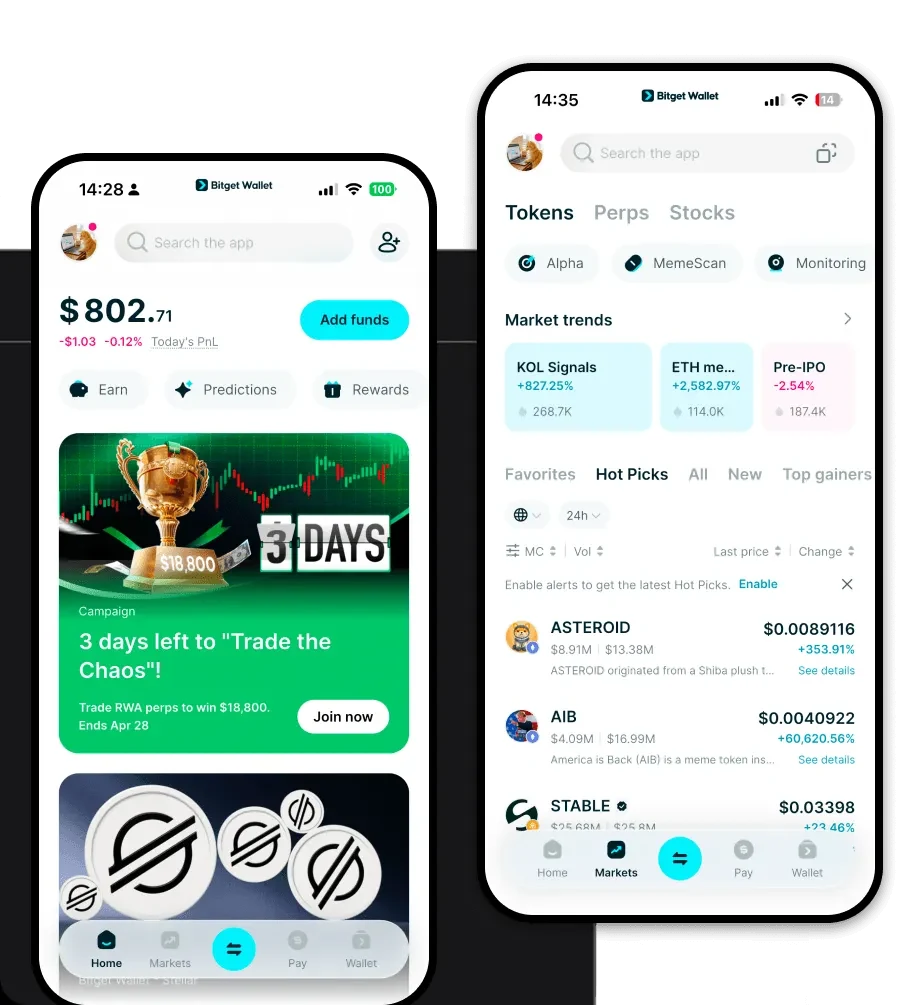
To start managing your IMG tokens, you need a robust, self-custodial solution that prioritizes security and versatility. Bitget Wallet offers a comprehensive, decentralized experience that puts you in total control of your private keys. Whether you prefer managing your assets on the go or through your desktop browser, Bitget Wallet provides a seamless experience across iOS, Android, and browser extensions.
By choosing to download Bitget Wallet, you gain access to a multi-chain ecosystem that supports over 130 public chains. Unlike centralized exchanges, Bitget Wallet ensures that your assets remain under your sole ownership, providing the perfect environment for your IMG tokens and other digital assets.
Why Choose Bitget IMG Wallet?
Since IMG is an EVM-based asset, your choice of wallet significantly impacts how you interact with dApps and NFT marketplaces. Here is why Bitget Wallet stands out for IMG users:
- Native EVM Compatibility: Bitget Wallet provides flawless integration with the Ethereum Virtual Machine, ensuring you can interact with decentralized finance protocols and NFT platforms without compatibility issues.
- Advanced Decentralized Asset Management: You maintain full custody of your private keys and seed phrases, ensuring that your IMG tokens are never held by a third-party intermediary.
- Cross-Platform Interoperability: Whether you are switching between a mobile device and a desktop, your portfolio syncs effortlessly, allowing you to manage your IMG holdings across different environments.
- Secure Smart Contract Integration: The wallet features built-in security audits and fraud detection, protecting you while you engage with the complex smart contracts often used in the NFT and Web3 space.
How to Create an IMG Wallet
Setting up your wallet is a straightforward process designed to secure your assets from the very first step. Follow these instructions to get started:
- 1. Download and Install: Visit the official Bitget Wallet website to download Bitget Wallet for your specific device (iOS, Android, or Chrome extension).
- 2. Create a New Wallet: Open the app and select 'Create a Wallet.' You will be prompted to set a strong, unique password for your device.
- 3. Secure Your Seed Phrase: The app will generate a 12-word recovery phrase. Write this down on paper and store it in a secure, offline location. Never share this with anyone, as it is the only way to recover your funds.
- 4. Verify Your Phrase: Bitget Wallet will ask you to confirm your seed phrase to ensure you have recorded it correctly.
- 5. Add IMG Token: Once your wallet is set up, use the 'Add Token' feature. Search for the IMG contract address or ticker to make it visible in your main dashboard.
What Can You Do With an IMG Wallet?
Beyond simple storage, holding IMG in a capable wallet like Bitget unlocks various capabilities within the Web3 ecosystem:
- Trading: You can utilize the built-in DEX aggregator to swap IMG for other assets efficiently, ensuring you get the best price across multiple liquidity pools.
- Storing Digital Collectibles: As an NFT-focused token, IMG works perfectly within the wallet’s dedicated NFT gallery, allowing you to view and organize your digital collectibles with ease.
- Managing Portfolio Assets: You can track the real-time performance and valuation of your IMG holdings directly within the wallet interface, providing a clear overview of your financial position.
- Participating in Web3 Ecosystem dApps: By connecting your wallet to decentralized applications, you can stake, farm, or interact with governance protocols that support the IMG token.
How IMG Wallets Are Different from Other Crypto Wallets
When selecting a wallet for IMG, it is vital to understand the nuances of the EVM architecture compared to other blockchain models. Unlike wallets designed for Bitcoin's UTXO (Unspent Transaction Output) model, an IMG wallet must support the Account-based model, which handles state changes and smart contract execution differently.
Because IMG lives on EVM-compatible chains, your wallet needs to manage 'Gas Fees'—the transaction costs paid to network validators. Bitget Wallet simplifies this by providing real-time gas estimates and allowing for custom fee adjustments, ensuring your transactions are processed at the speed you require. Furthermore, unlike wallets that focus solely on simple transfers, an IMG-ready wallet like Bitget is optimized for complex interactions, such as approving smart contract permissions and interacting with NFT marketplaces, which are essential for the IMG ecosystem.
