




What is a CLENS Wallet?
A CLENS wallet is a digital storage solution specifically designed to hold and manage CLENS, the native utility token of ContractLens. CLENS is the native token of ContractLens, an AI-powered on-chain risk intelligence and knowledge layer tool operating on the Base network. It functions as an AI agent designed to enhance on-chain transparency by analyzing wallets, smart contracts, tokens, and transaction patterns. The project focuses on providing security insights, identifying transaction risks, verifying authorizations, and serving as an infrastructure tool for users, developers, and security researchers to improve on-chain risk controllability.
Download Bitget CLENS Wallet
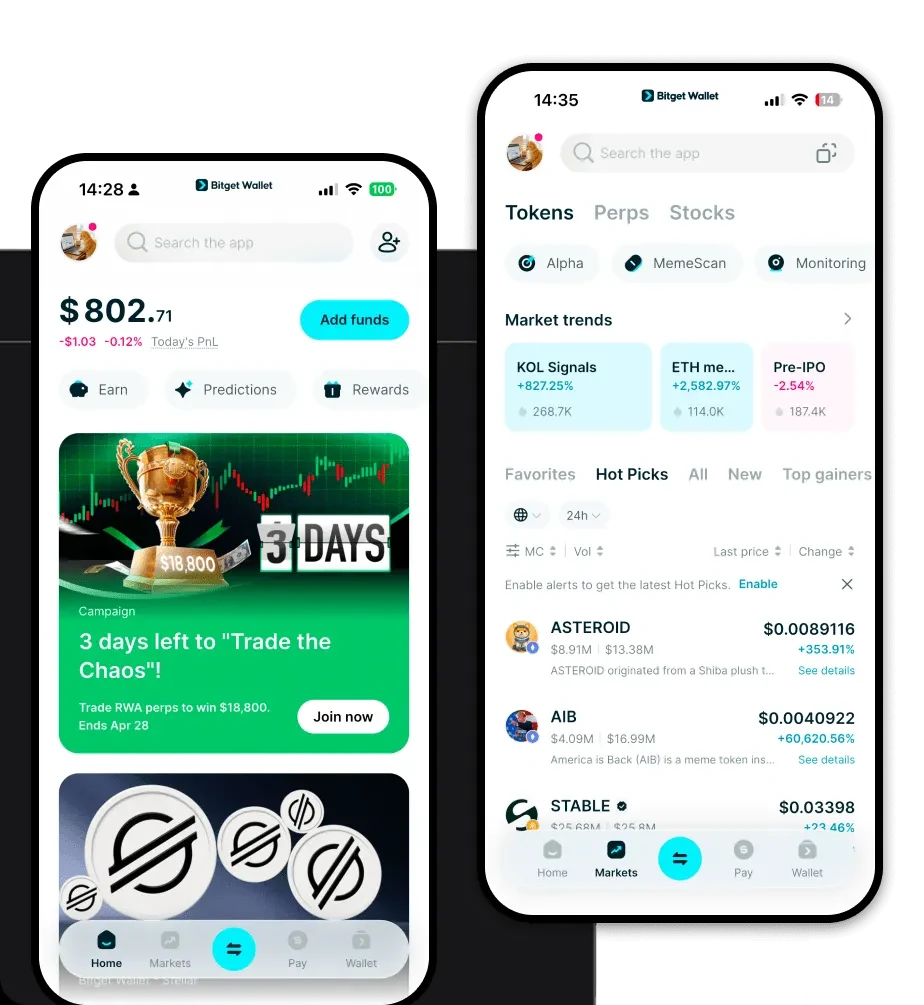
To interact with the Base network and manage your assets effectively, you need a reliable gateway. Bitget Wallet stands out as a premier choice for this purpose. It offers a comprehensive suite of tools, including full support for EVM-compatible chains, which is essential for handling Base network tokens like CLENS. Whether you are using a mobile device or a desktop browser, you can easily download Bitget Wallet to gain complete control over your private keys and assets.
Bitget Wallet provides a seamless experience across iOS, Android, and browser extensions, ensuring that your CLENS tokens are always accessible. By utilizing a non-custodial approach, Bitget Wallet ensures that you, and only you, hold the keys to your digital assets, aligning perfectly with the security-focused nature of the ContractLens ecosystem.
Why Choose Bitget CLENS Wallet?
Choosing the right wallet for an infrastructure-heavy token like CLENS is critical, especially when dealing with AI-driven risk management tools. Bitget Wallet provides specific advantages:
- EVM Compatibility: As CLENS operates on the Base network, Bitget Wallet’s seamless EVM integration ensures fast, low-cost gas fee management and easy interaction with DeFi protocols.
- Security-First Infrastructure: With a $300M+ user protection fund, Bitget Wallet provides the institutional-grade safety required for users engaging with risk intelligence tools.
- DApp Browser Integration: Easily connect to the ContractLens dashboard and other Base-based decentralized applications directly from your wallet interface.
- Multi-Chain Efficiency: Manage your CLENS alongside assets on 130+ other blockchains within a single, unified interface, eliminating the need for multiple apps.
How to Create a CLENS Wallet
Setting up your wallet is a straightforward process designed to prioritize your security while remaining user-friendly:
- Download and Install: Visit the official Bitget Wallet website to download Bitget Wallet for your preferred device.
- Create a New Wallet: Open the app and select 'Create a New Wallet.' Ensure you are in a private location.
- Backup Your Seed Phrase: You will be given a 12-24 word recovery phrase. Write this down on paper and store it securely offline; never share this with anyone.
- Add Base Network: Bitget Wallet supports Base natively. If you don't see CLENS, use the 'Add Token' feature and paste the official CLENS contract address to display your balance.
- Secure Your Assets: Once set up, you can transfer your CLENS tokens to your new wallet address.
What Can You Do With a CLENS Wallet?
Holding CLENS in a secure, non-custodial wallet allows you to leverage the full suite of ContractLens capabilities:
- Analyzing smart contract risks: Use your wallet to connect to the ContractLens platform, allowing you to scan smart contracts before interacting with them to avoid potential vulnerabilities.
- Verifying wallet authorization safety: Regularly check your wallet permissions to ensure no malicious actors have access to your funds, keeping your assets secure.
- Identifying malicious transaction patterns: Utilize the AI-driven insights provided by the ecosystem to flag suspicious transaction history or interactions.
- Conducting on-chain security research: Leverage the infrastructure tools provided by the project to perform deep-dive analysis into market trends and security threats.
- Governance participation: Engage in the DAO and protocol governance decisions by staking or holding your CLENS tokens directly through your wallet interface.
How CLENS Wallets Are Different from Other Crypto Wallets
Unlike simple storage wallets, a wallet used for an infrastructure-grade asset like CLENS requires deeper compatibility with EVM standards. Because CLENS exists on the Base network, your wallet must handle the standard account model used by Ethereum-based chains, which manages smart contract interactions differently than UTXO-based chains like Bitcoin. Bitget Wallet optimizes for this by ensuring instant gas estimation and transaction broadcasting, which is vital when you are using AI tools to monitor real-time security risks. While other wallets might struggle with complex contract authorizations, Bitget Wallet’s infrastructure is built to handle these high-frequency, data-heavy interactions efficiently, ensuring you never miss a security alert.
