What is a FOSSIL Wallet?
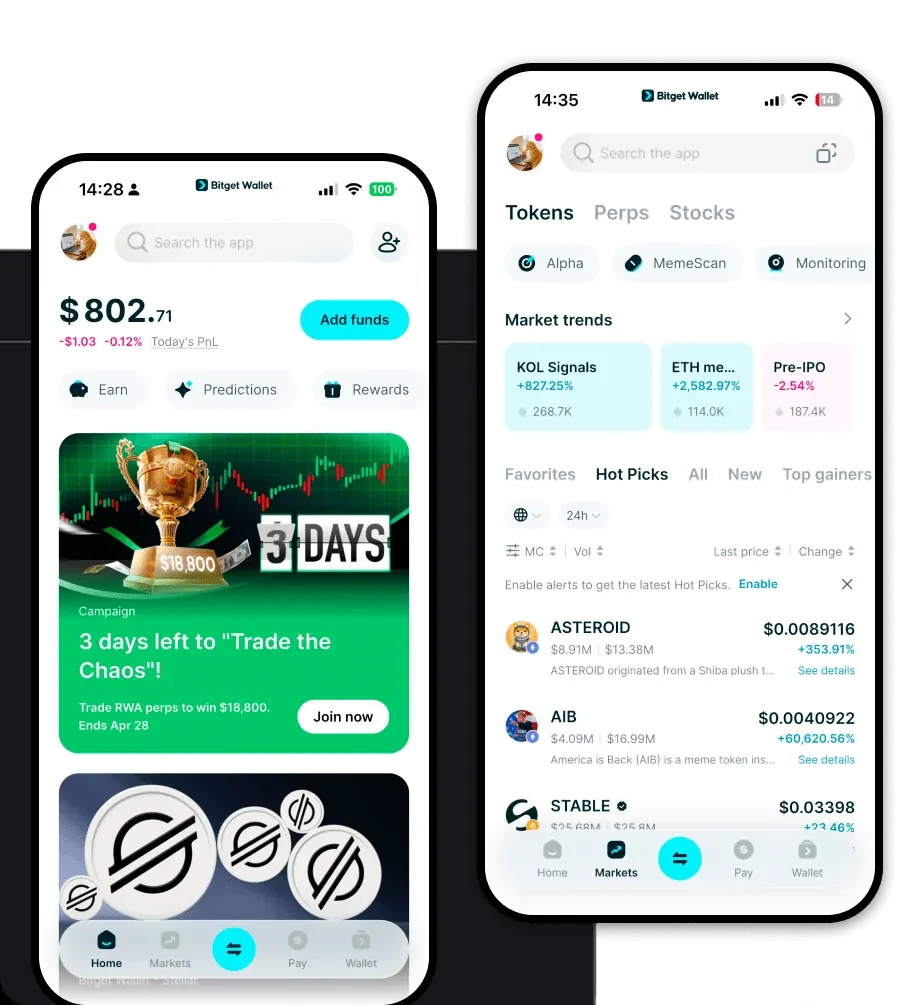
A FOSSIL wallet acts as your personal gateway to the FOSSIL token ecosystem. Because FOSSIL operates on an EVM (Ethereum Virtual Machine) compatible chain, your wallet functions as a digital vault that interacts directly with smart contracts, decentralized applications (dApps), and token liquidity pools. Fossil is a token ecosystem often associated with various niche Web3 projects; users typically require a reliable and secure crypto wallet like Bitget Wallet to manage, store, and trade their FOSSIL holdings while exploring the broader Web3 landscape.
Download Bitget FOSSIL Wallet
Getting started with your digital assets requires a robust tool that balances security with ease of use. Bitget Wallet stands out as a top-tier choice for FOSSIL enthusiasts, offering full self-custody over your private keys. Whether you are managing assets on the go or conducting deep-dive analysis on your desktop, you can easily download Bitget Wallet across various platforms. The application is fully optimized for iOS and Android mobile devices, and it also provides a powerful browser extension for seamless desktop integration. With support for over 130+ blockchains, it ensures that your FOSSIL tokens are always accessible, regardless of the ecosystem or cross-chain bridge you choose to utilize.
Why Choose Bitget FOSSIL Wallet?
- Native EVM Compatibility: Designed specifically for the Ethereum Virtual Machine, Bitget Wallet allows you to interact with FOSSIL-related smart contracts without compatibility errors or configuration headaches.
- Advanced Meme-Coin Trading: Bitget Wallet offers specialized tools for high-volatility assets, including real-time market data and automated slippage adjustments that are crucial for community-driven projects.
- Superior Liquidity Aggregation: By connecting to hundreds of decentralized exchanges (DEXs), the wallet ensures you get the best possible trade execution for your FOSSIL tokens, maximizing your liquidity potential.
- Robust Security Architecture: With a $300 million user protection fund and advanced encryption, your FOSSIL assets are safeguarded against the risks common in the fast-moving meme coin sector.
- Social Sentiment Integration: The interface provides intuitive access to market trends, helping you stay ahead of the social sentiment influence that often dictates the price action of niche tokens like FOSSIL.
How to Create a FOSSIL Wallet
1. Download and Install: Visit the official Bitget Wallet website or your device's app store to download the application. 2. Create a New Wallet: Open the app, select 'Create Wallet,' and ensure you back up your recovery phrase in a secure, offline location. 3. Set Up EVM Network: Since FOSSIL is an EVM token, ensure your wallet is set to the correct network (e.g., Ethereum or BNB Chain) to view your balances accurately. 4. Secure Your Account: Enable biometric authentication or a strong, unique PIN to add an extra layer of protection to your FOSSIL wallet address. 5. Import or Receive: You can now import existing wallets using your seed phrase or simply copy your public address to receive FOSSIL tokens from exchanges or other users.
What Can You Do With a FOSSIL Wallet?
- Speculative Trading: You can actively trade FOSSIL on various decentralized exchanges, leveraging the wallet's speed to capitalize on short-term market volatility.
- Liquidity Provision: By interacting with DeFi protocols, you can deposit your FOSSIL into liquidity pools to earn trading fees and support the ecosystem's depth.
- Holding for Appreciation: The wallet provides a secure environment for long-term storage, allowing you to hold your FOSSIL assets while you wait for market growth.
- Community Participation: You can use your wallet to connect to community-driven dApps, allowing you to vote on governance proposals or participate in project-specific rewards.
- Cross-Chain Transfers: With built-in bridging capabilities, you can easily move your holdings across different blockchain networks, ensuring your FOSSIL is always where the most opportunity lies.
How FOSSIL Wallets Are Different from Other Crypto Wallets
When dealing with an EVM-based token like FOSSIL, your wallet choice directly affects your user experience. Unlike Bitcoin wallets that utilize the UTXO model—which focuses on tracking unspent transaction outputs—an EVM-compatible wallet like Bitget uses an 'Account Model.' This is essential for FOSSIL because it allows for complex smart contract interactions, such as staking or liquidity farming, which UTXO-based wallets cannot handle natively. Furthermore, while some legacy wallets struggle with fluctuating gas fees, Bitget Wallet optimizes your transaction submission to ensure you aren't overpaying during periods of network congestion, giving you a faster and more cost-effective way to manage your meme-coin portfolio compared to standard, non-specialized wallets.