




1. What is a ClickClark Wallet?
A ClickClark wallet is a digital interface designed to securely interact with the ClickClark token ecosystem, which operates natively on the Base chain. Unlike traditional custodial accounts, a specialized wallet for this token allows you to hold, send, and interact with the asset while maintaining full custody of your private keys.
ClickClark originates from the eponymous self-hosted chat server project. It is a single-file Go binary chat server solution featuring default SQLite support, embedded Svelte, Slack-style threads, persistent real-time communication, and OpenAPI integration. Launched on the Base chain, the project is maintained by an independent developer group aiming to provide bot-friendly, durable, and self-hosted instant messaging infrastructure for teams and communities.
As an EVM-compatible asset, ClickClark requires a wallet that understands the Base network's architecture. By using a compatible wallet, you bridge the gap between your digital identity and this unique, bot-friendly messaging infrastructure.
2. Download Bitget ClickClark Wallet
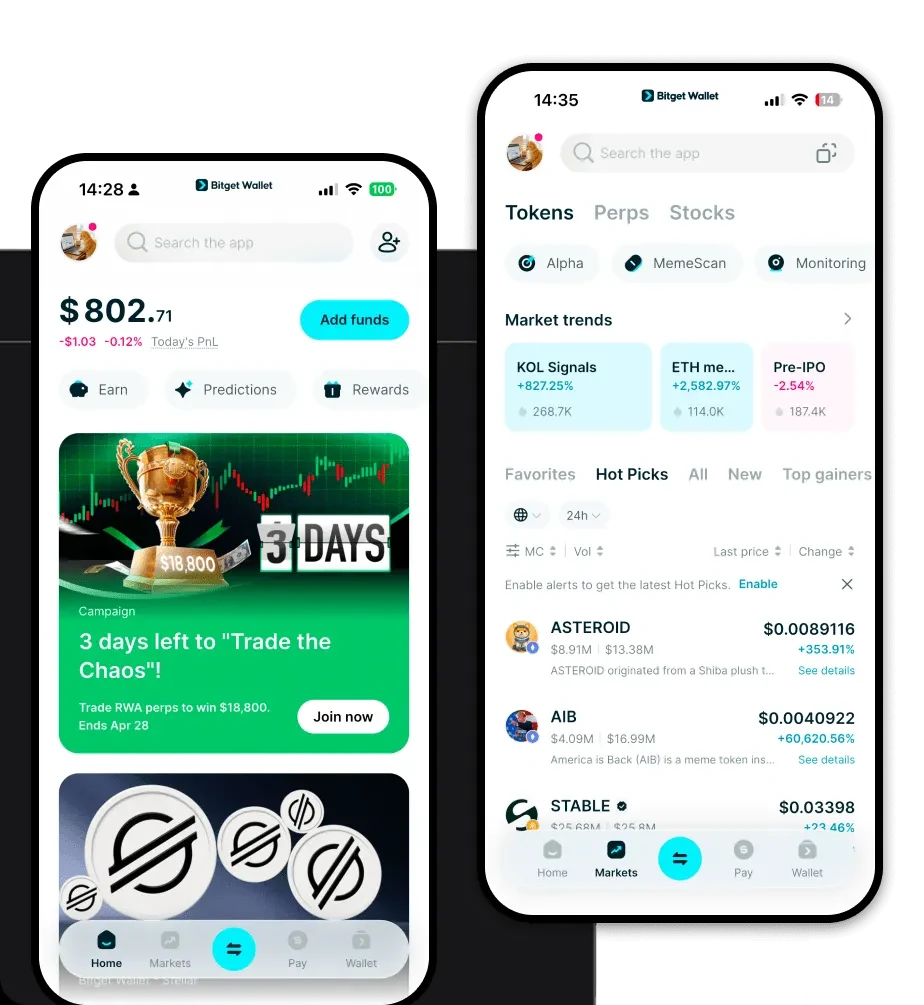
To fully experience the potential of the ClickClark ecosystem, you need a robust, user-centric tool. We recommend you download Bitget Wallet to manage your assets effectively. Bitget Wallet stands out by offering a comprehensive, multi-chain experience that caters to both newcomers and power users.
Why is this the preferred app? Bitget Wallet provides a unified interface that supports over 130 public chains, ensuring that your ClickClark holdings are never isolated. Whether you prefer mobile flexibility on iOS or Android, or the convenience of a browser extension for desktop interaction, the experience remains seamless. Most importantly, it functions as a non-custodial solution, meaning you remain the sole owner of your private keys and seed phrases, aligning perfectly with the self-hosted philosophy of the ClickClark project itself.
3. Why Choose Bitget ClickClark Wallet?
Choosing the right wallet is critical when engaging with Base-chain infrastructure projects. Bitget Wallet provides specific advantages for holders of tokens like ClickClark:
- Native Base Chain Support: Bitget Wallet is fully optimized for the Base ecosystem, allowing for rapid asset management, reduced latency in transactions, and full compatibility with Base-native dApps.
- EVM Compatibility: As an EVM-based project, ClickClark thrives in environments that offer seamless interaction with smart contracts. Bitget Wallet ensures you can easily connect to DeFi protocols and infrastructure platforms without compatibility hurdles.
- Smart Asset Management: The wallet aggregates data from hundreds of DEXs and cross-chain bridges, ensuring you get the best market rates if you need to swap your ClickClark tokens.
- Enhanced Security Infrastructure: With over $300 million in a dedicated user protection fund, Bitget Wallet adds a crucial layer of defense against potential vulnerabilities, giving you peace of mind while you participate in the ClickClark ecosystem.
- Intuitive Interface for Infra Projects: Because ClickClark is an infrastructure-focused project, you need a wallet that doesn't clutter your view. Bitget Wallet offers a clean, streamlined dashboard that makes tracking your assets and connecting to community governance portals straightforward.
4. How to Create a ClickClark Wallet
Setting up your wallet to hold ClickClark on the Base chain is a simple process. Follow these steps to get started:
- Install the App: Visit the official website and download Bitget Wallet for your mobile device or browser.
- Initialize Your Wallet: Open the app and select 'Create a New Wallet'. Ensure you are in a private environment.
- Secure Your Recovery Phrase: You will be given a 12-to-24-word seed phrase. Write this down on physical paper—never take a screenshot—and store it in a secure location. This is your master key.
- Add the Base Network: While Bitget Wallet automatically detects most chains, ensure 'Base' is enabled in your network settings to view your ClickClark balance accurately.
- Import or Receive: You are now ready. Copy your public wallet address to receive ClickClark tokens or use the 'Import' feature if you are migrating from another EVM-compatible wallet.
5. What Can You Do With a ClickClark Wallet?
Holding ClickClark in a secure wallet opens up several functional avenues within the ecosystem:
- Trading: You can utilize the built-in swap features within Bitget Wallet to trade ClickClark against other assets on the Base chain, ensuring you can manage your liquidity with ease.
- Supporting Open-Source Development: By holding the token, you contribute to the stability and longevity of the project, directly supporting the independent developers who maintain the ClickClark Go binary infrastructure.
- Community Governance: Use your wallet to connect to voting portals or community forums, allowing you to participate in the decision-making processes that shape the future of this self-hosted chat solution.
- Accessing Self-hosted Chat Services: The ultimate utility of the project is the messaging infrastructure; having your wallet connected allows you to authenticate or interact with services built upon the ClickClark protocol, bridging the gap between Web3 finance and real-time communication.
6. How ClickClark Wallets Are Different from Other Crypto Wallets
When you use a wallet for an EVM-based project like ClickClark, you are interacting with an "Account-based" model rather than a UTXO model (like Bitcoin). This distinction is vital for your experience.
In the ClickClark ecosystem on Base, your wallet address acts as an account that holds a balance and interacts with smart contracts. This allows for complex actions, such as interacting with the self-hosted chat infrastructure or participating in on-chain governance, which would be significantly more difficult on UTXO-based chains. Furthermore, because Base is an EVM Layer 2, you benefit from significantly lower gas fees compared to Ethereum Mainnet, making frequent interactions with your ClickClark tokens more cost-effective. Bitget Wallet optimizes for this by ensuring your transactions are broadcast efficiently, minimizing wait times and maximizing your control over gas settings.
